Issuance of receipts
We will show you how to issue receipts and use the receipt display service.
If you require a receipt issued at the airport counter/call center that complies with the qualified invoice storage method stipulated by the Consumption Tax Act, please inform the staff/operator.
Our website's receipt display service complies with the qualified invoice system.
- The receipt display service on the self-service check-in machines does not support the qualified invoice storage method.
Payment methods and eligible recipients
| Payment Method | receipt | |
|---|---|---|
| Airport counter | Call Center | |
| Credit card | ○ | ○ |
| Cash (Airport counter) | ○ | ○ |
| Convenience store * | × | × |
| Travel agency | × | × |
| Payment Method | Receipt display service | |
|---|---|---|
| Website | Self-service check-in machines | |
| Credit card | ○ | ○ |
| Cash (Airport counter) | × | × |
| Convenience store * | ○ | × |
| Travel agency | × | × |
| Payment Method | receipt | Receipt display service | ||
|---|---|---|---|---|
| Airport counter | Call Center | Website | Self-service check-in machines | |
| Credit card | ○ | ○ | ○ | ○ |
| Cash (Airport counter) | ○ | ○ | × | × |
| Convenience store * | × | × | ○ | × |
| Travel agency | × | × | × | × |
- The "receipt" received at the convenience store can be used as a receipt, but it is not a receipt that corresponds to the qualified invoice storage method stipulated in the Consumption Tax Act.
receipt
Issued to
FDA will issue receipts if you purchase your product through the following methods:
- Official FDA website
- FDA Airport Counter
- FDA Call Center
Notice/Information
- If you purchased your ticket at a travel agency, please contact the store where you purchased it (FDA cannot issue receipts).
Place of issue
You can receive it in the following ways:
| Airport counter |
|---|
| Please tell the staff that you would like a receipt. |
| Call Center |
| Please tell the operator that you would like a receipt and tell us where to send it. |
| Convenience store |
|
The receipt you receive at the convenience store can be used as a receipt, but it does not comply with the method of storing qualified invoices, etc., as stipulated in the Consumption Tax Act.
|
| Airport counter | Please tell the staff that you would like a receipt. |
|---|---|
| Call Center | Please tell the operator that you would like a receipt and tell us where to send it. |
| Convenience store |
The receipt you receive at the convenience store can be used as a receipt, but it does not comply with the method of storing qualified invoices, etc., as stipulated in the Consumption Tax Act.
|
Notice/Information
- Receipts cannot be reissued.
Receipt display service
FDA offers a "Receipt Display Service" that allows you to view the receipt details for your purchased airline ticket on your screen and print it yourself.
- The receipt display service is available on the website only for payments made by credit card or at convenience stores. If you pay by credit card, you can also use the receipt display service at the airport's self-check-in machines.
Display deadline
You can display it as many times as you like within one year from the boarding date.
To use the receipt display service, you must purchase using the following methods:
- Official FDA website
- FDA Airport Counter
- FDA Call Center
How to use
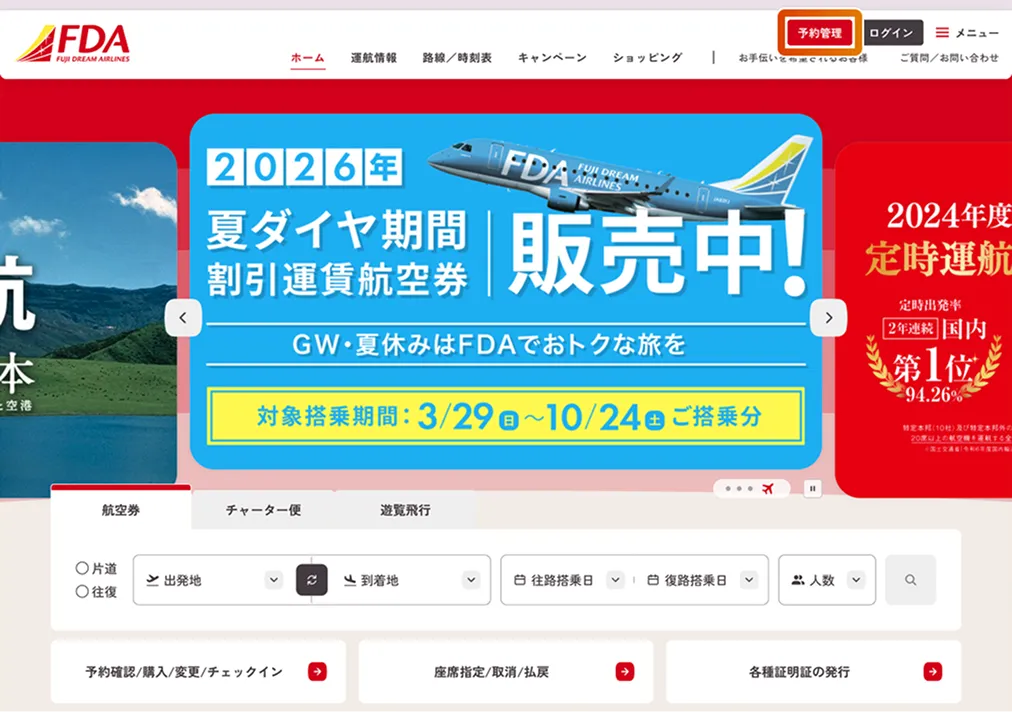
On your PC, click "Reservation Management" and follow the on-screen instructions.
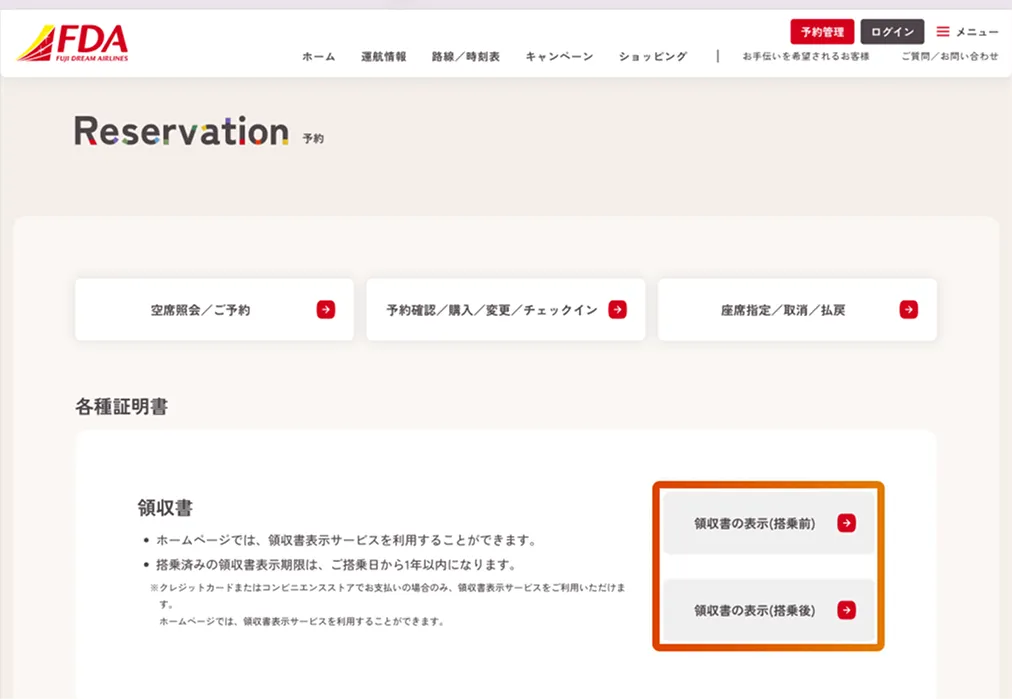
- Please click on "Receipt".
- Please click on "View Receipt (Before Boarding)" or "View Receipt (After Boarding/After Cancellation)".
- Enter your reservation information and click the "Search" button.
Notice/Information
- While it serves the same purpose as a traditional receipt in terms of proving the contents of the payment, please check in advance whether the printed document can be used for expense reimbursement or other purposes, as it is an electronic document.