How to change your reservation in the event of an unexpected event such as bad weather
If you made a reservation through a travel agency, you can cancel your reservation at the travel agency where you made the payment, at the airport counter, or at the FDA call center. For fare refunds, please process the procedure at the travel agency where you made the payment. For refunds of air tickets that are part of a travel product, please contact the travel agency where you made the purchase.
- If it is announced on the website that your scheduled flight is expected to be affected by a typhoon, heavy snow, or other adverse weather conditions, or if your scheduled flight is canceled, significantly delayed, or operating under conditions due to bad weather (force majeure),
How to operate a computer

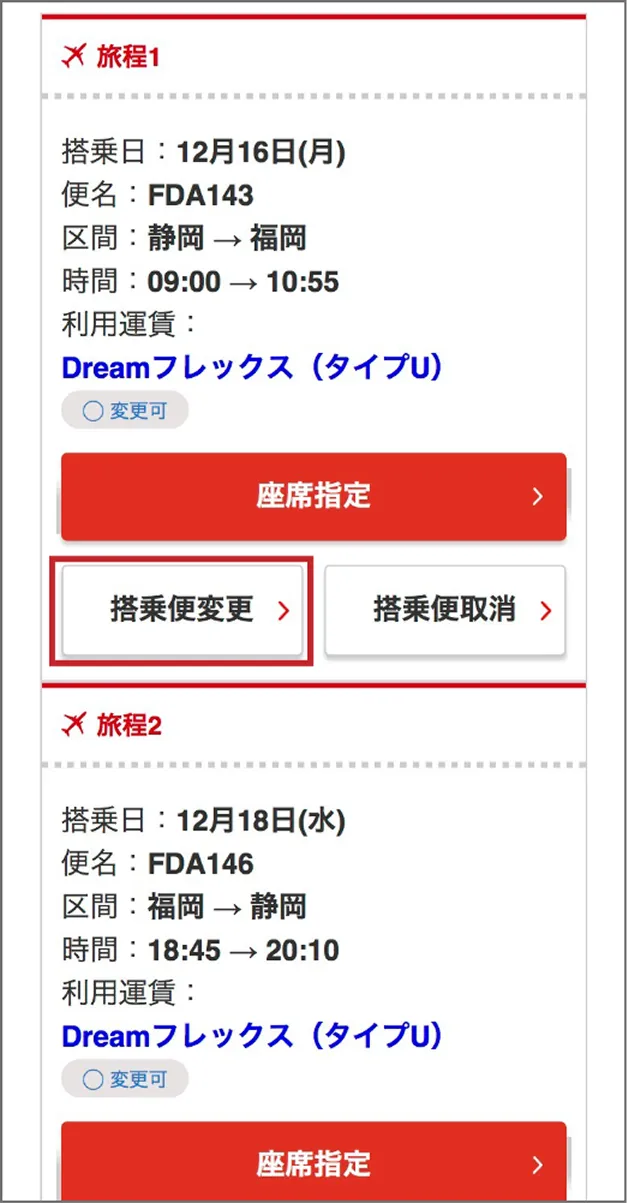
(1) Change from reservation details
Click "Change" for the flight you wish to change from "Reservation Details"
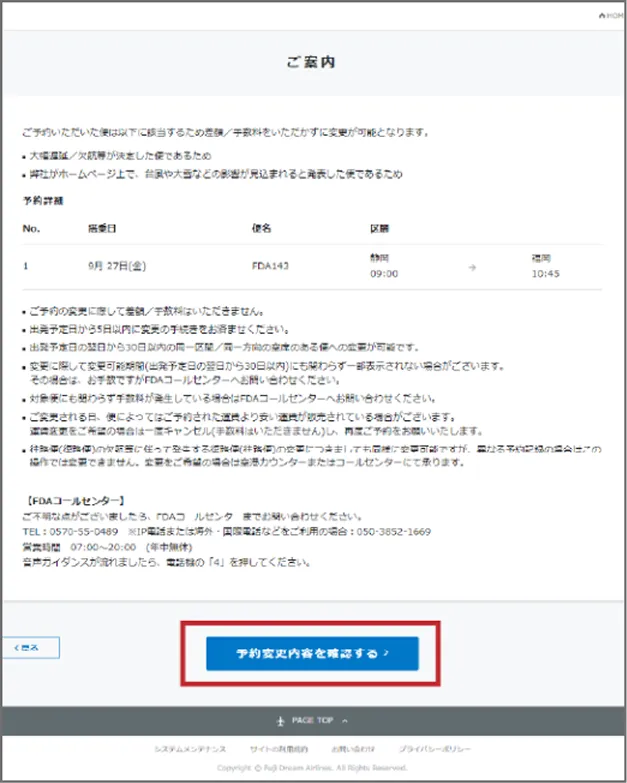
(2) Check with the guide
Check the information in the "Guidelines" and click "Confirm reservation changes"
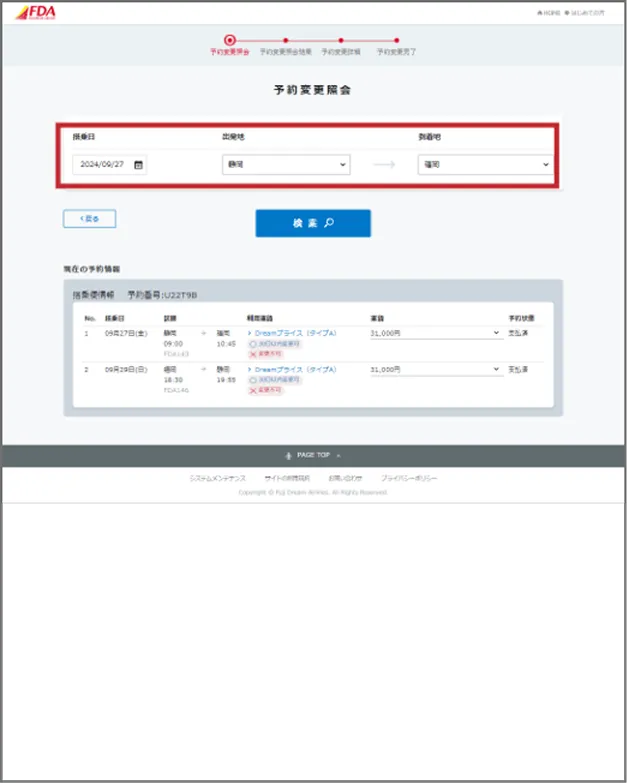
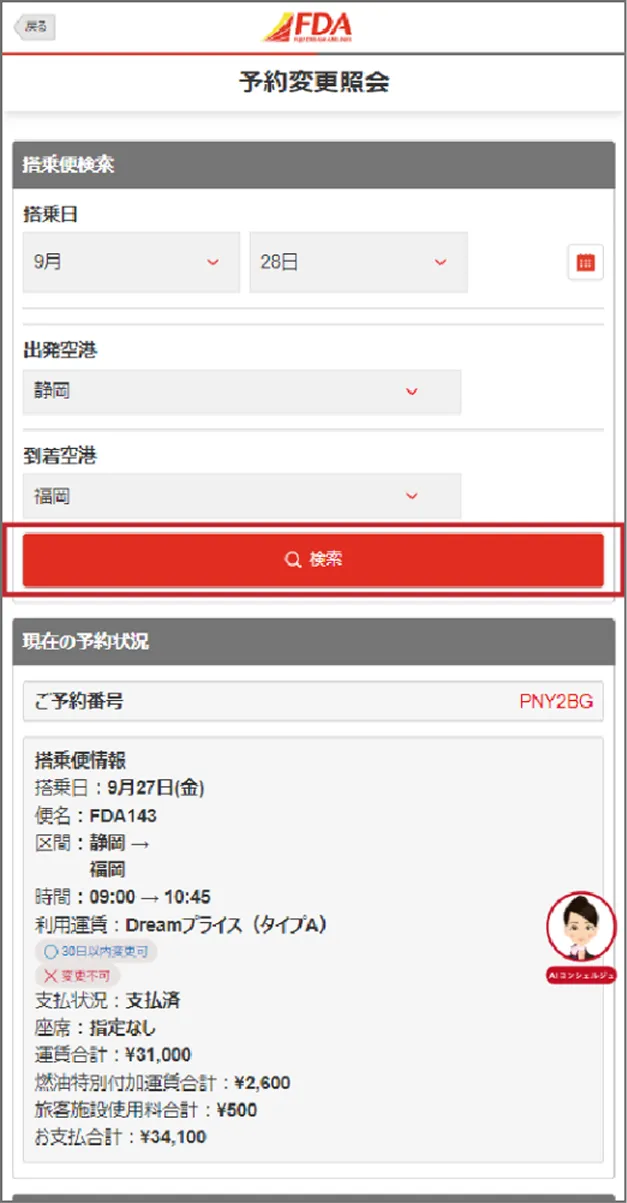
(3) Enter reservation change inquiry
Enter the flight date, departure airport, and arrival airport you wish to change on "Reservation Change Inquiry"
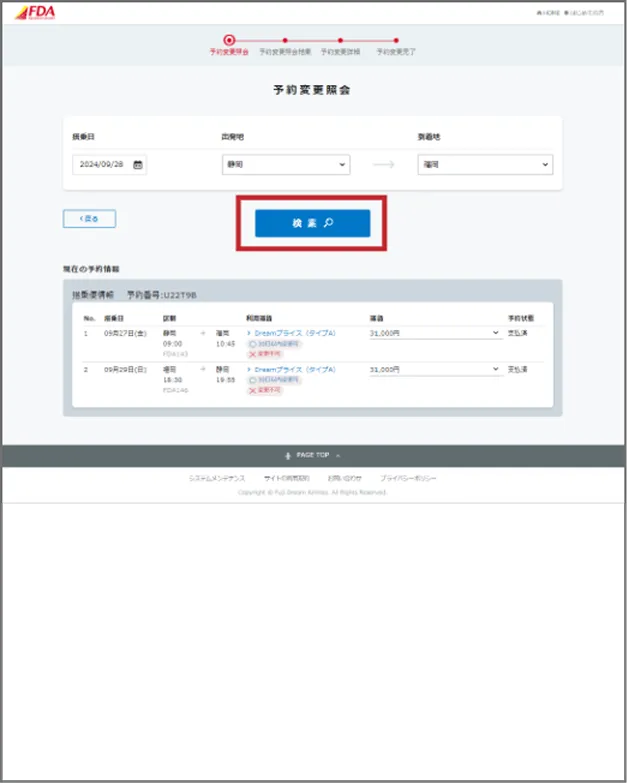
(4) Search for reservation change inquiries
Enter the flight you wish to change in "Reservation Change Inquiry" and click "Search"
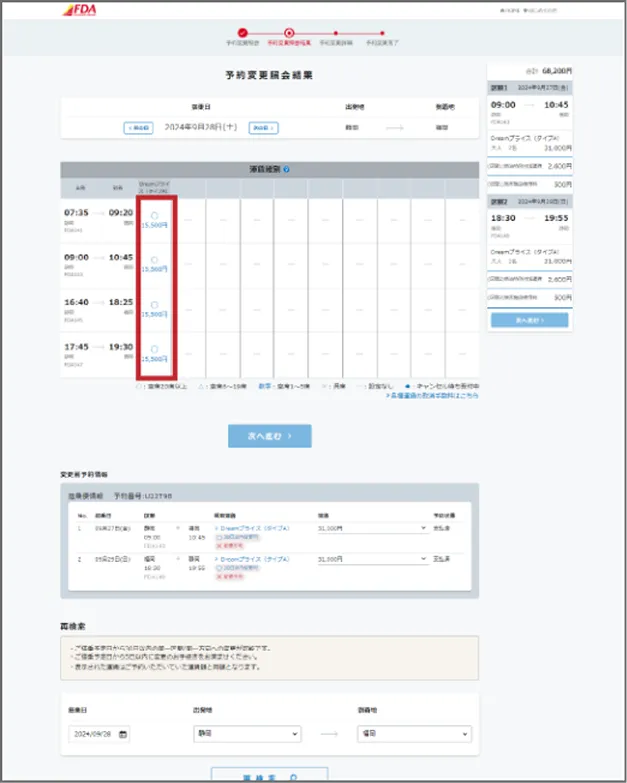
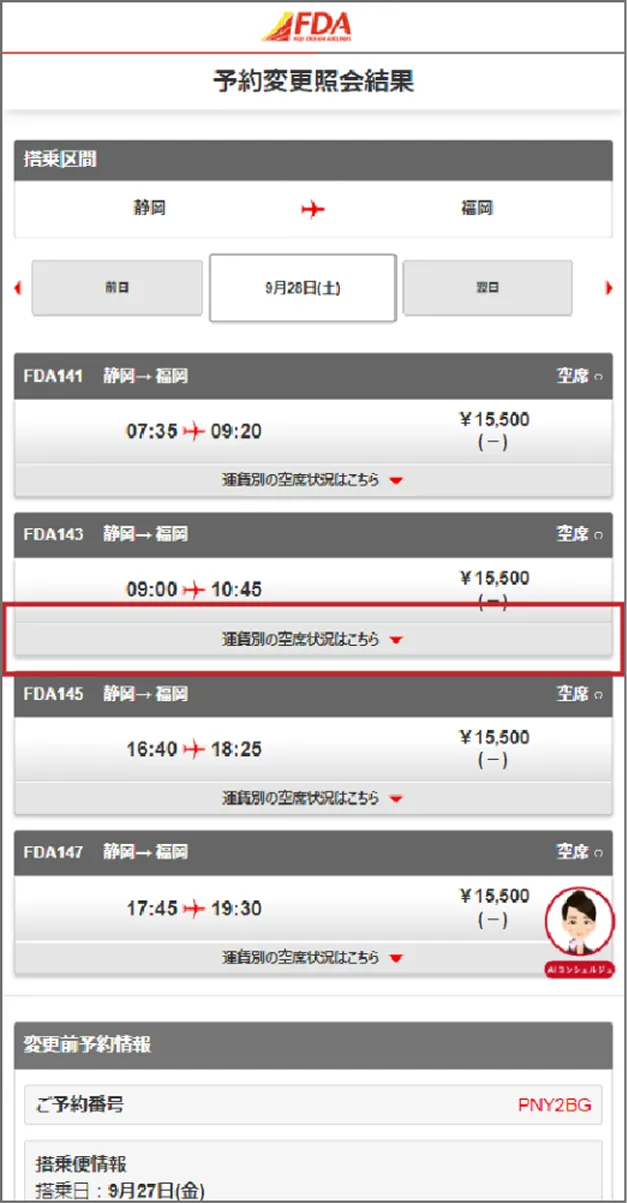
(5) Select from the reservation change inquiry results
"Reservation Inquiry Results" The fare for each flight will be displayed, so click on the flight you want to change.

(6) Check the reservation change inquiry results
Click the fare you wish to change in the "Reservation Change Inquiry Results" and click "Next"
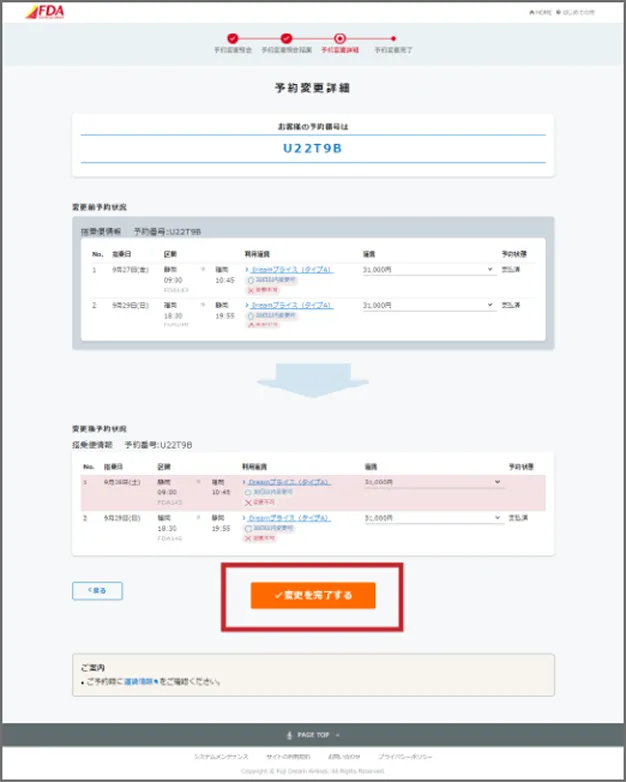
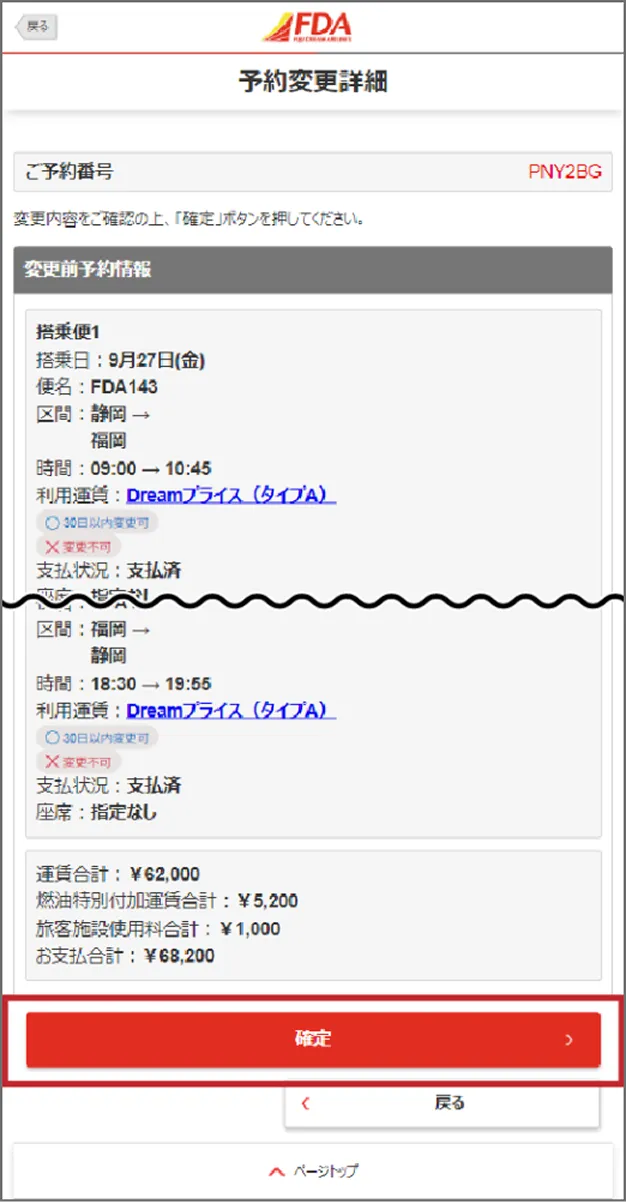
(7) Check reservation change details
Check the "Change Reservation Information" in "Reservation Change Details" and if there are no problems, click "Complete Changes"
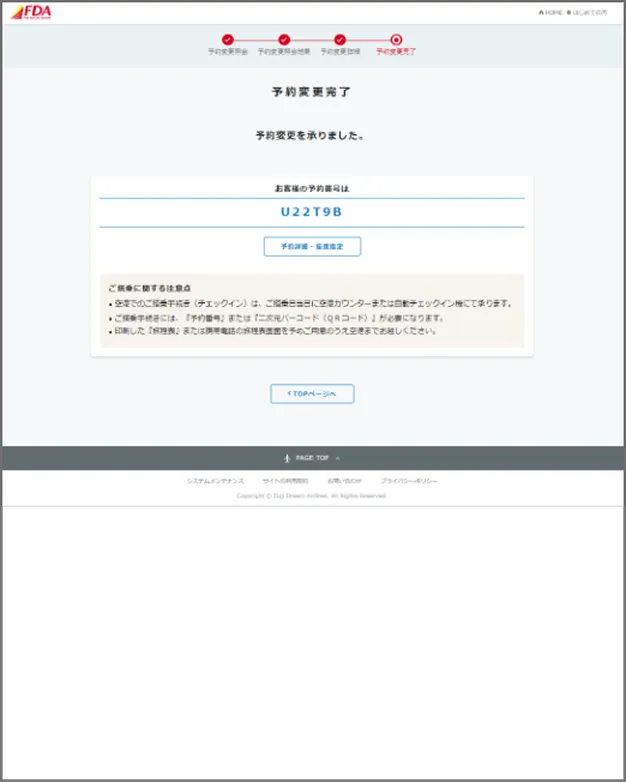
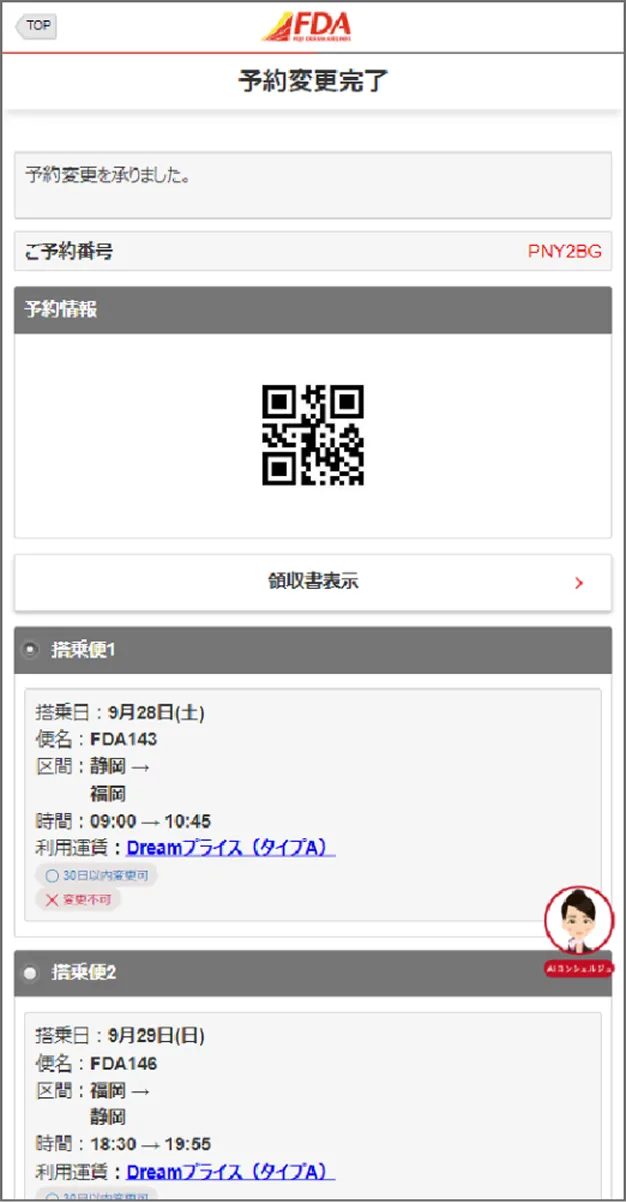
(8) Reservation change complete
The message "Reservation change accepted" will be displayed and the reservation change will be completed.