Web check-in operation guide
Please note that online check-in is a smartphone-only feature and cannot be used on PCs or tablets.
Online check-in
-
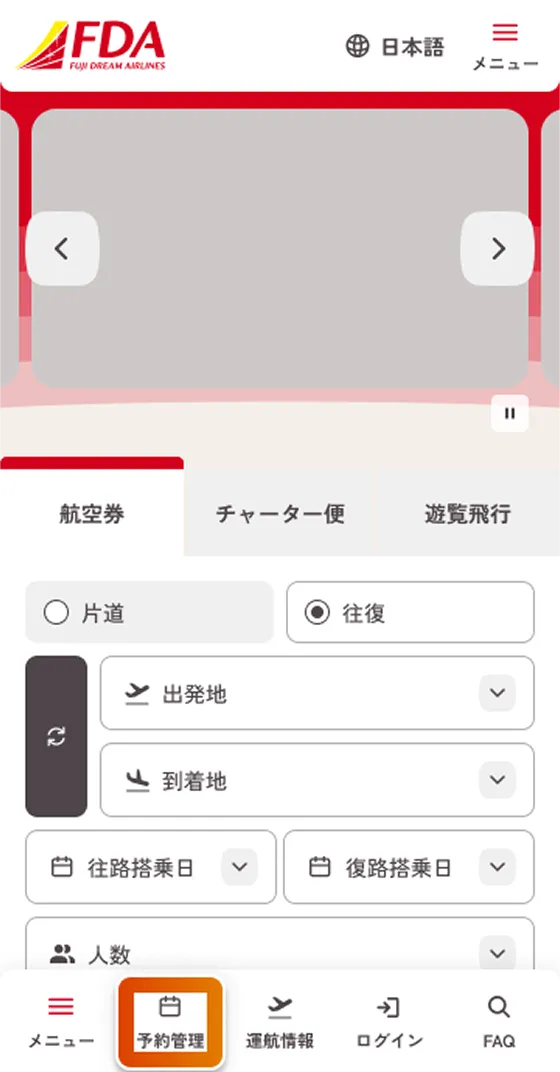
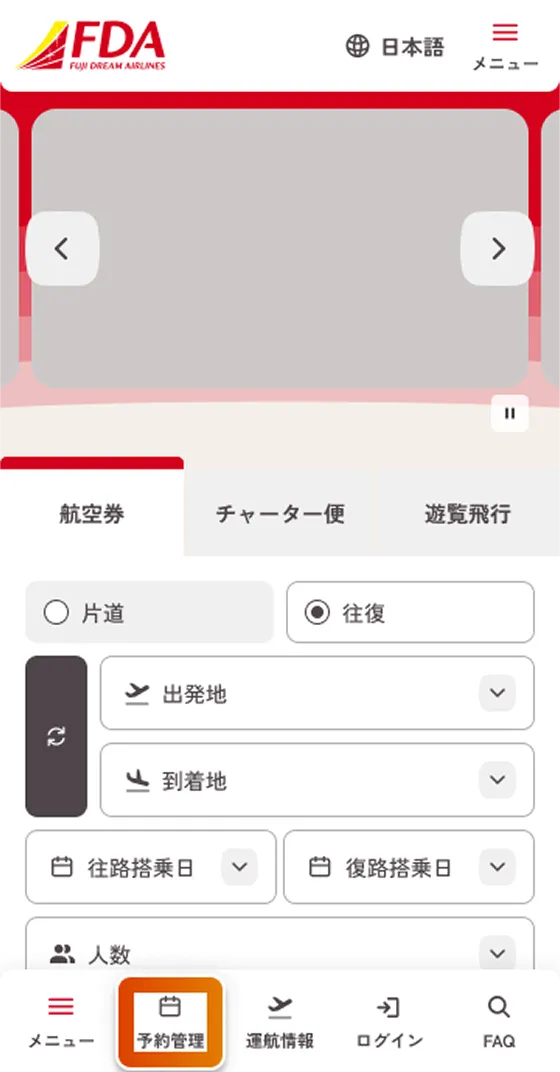
ホーム画面右上の「メニュー」またはボトムナビゲーション「予約管理」をタップしてください。
-
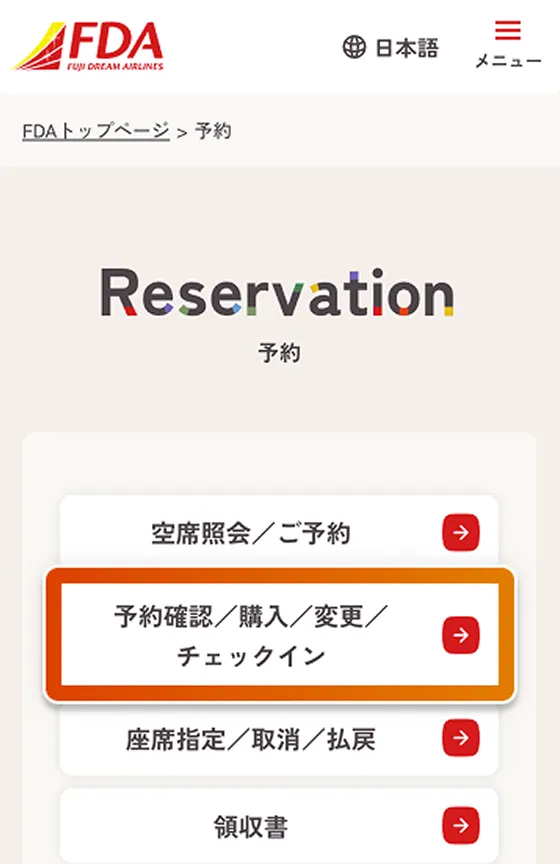
「予約管理」内の「予約/購入/変更/チェックイン」をタップしてください。
-
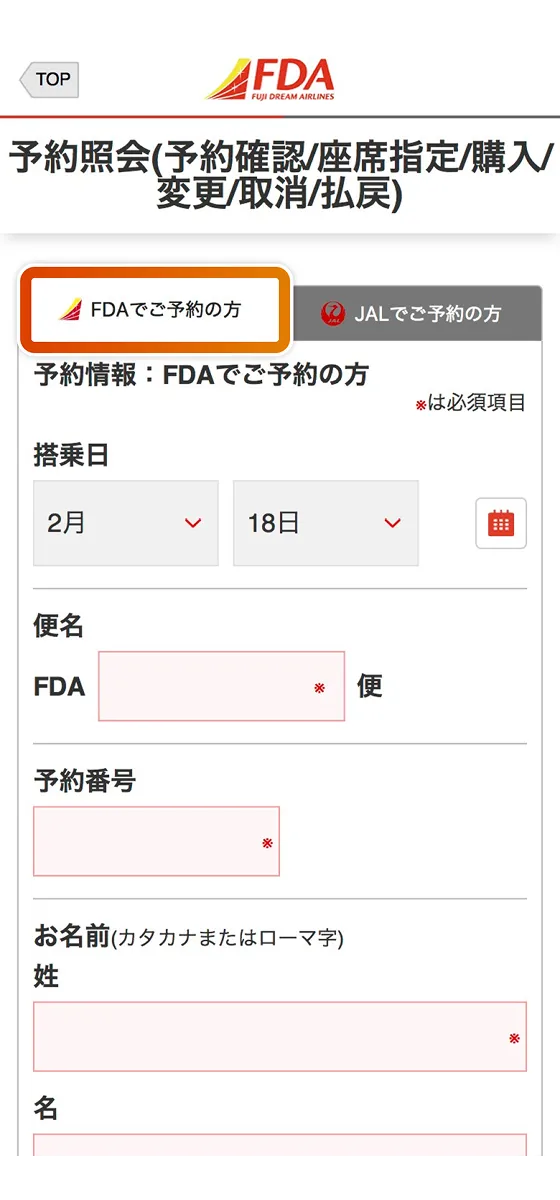
Please select the "FDA Appointments" tab.
-
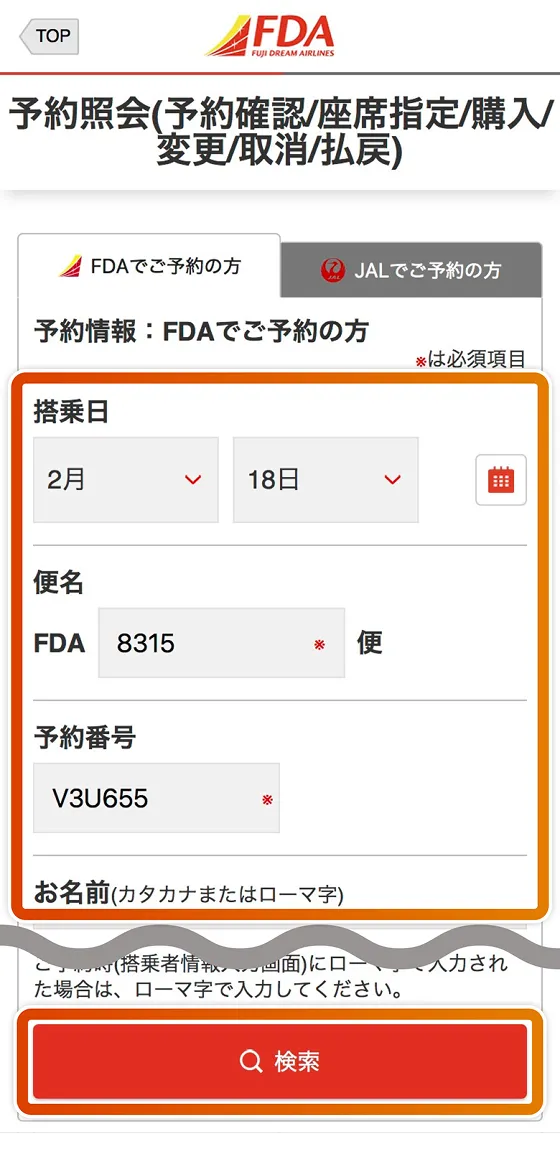
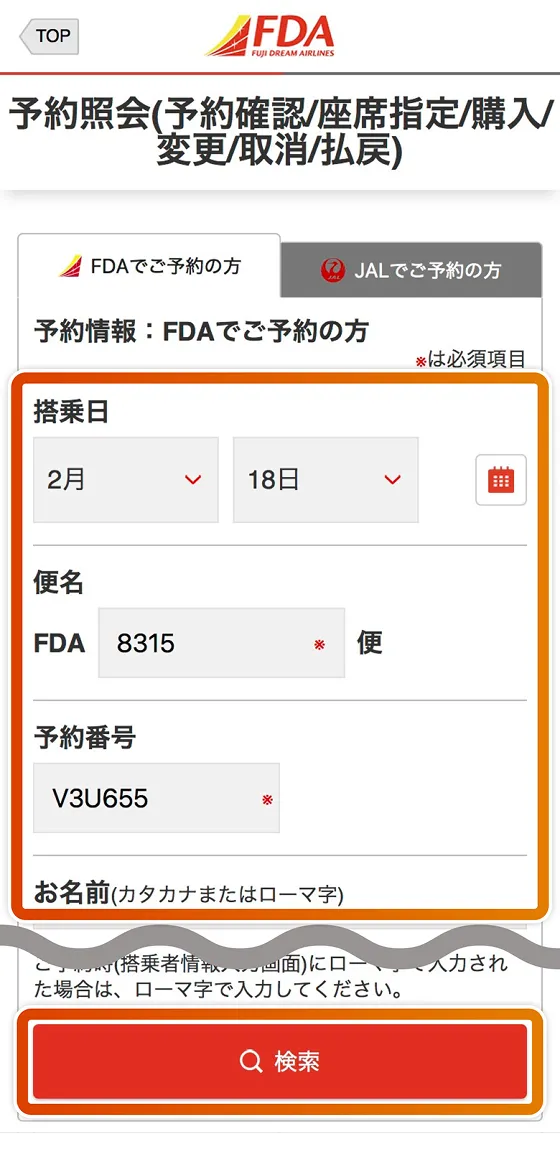
Enter your "boarding date," "flight number," "reservation number," and "name," then tap Search.
-
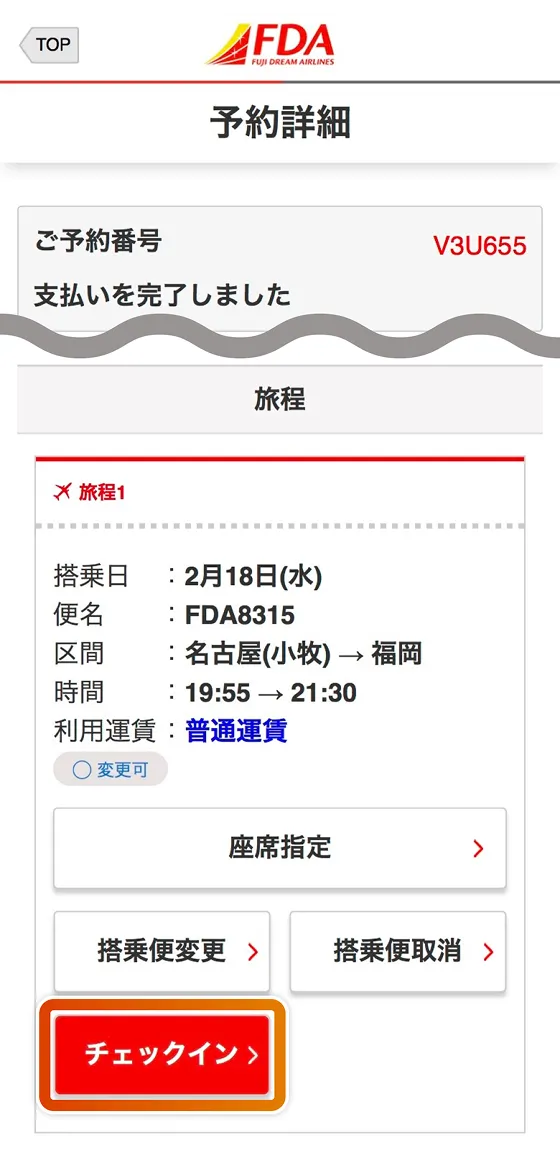
Tap "Check-in" for the itinerary you wish to process.
-
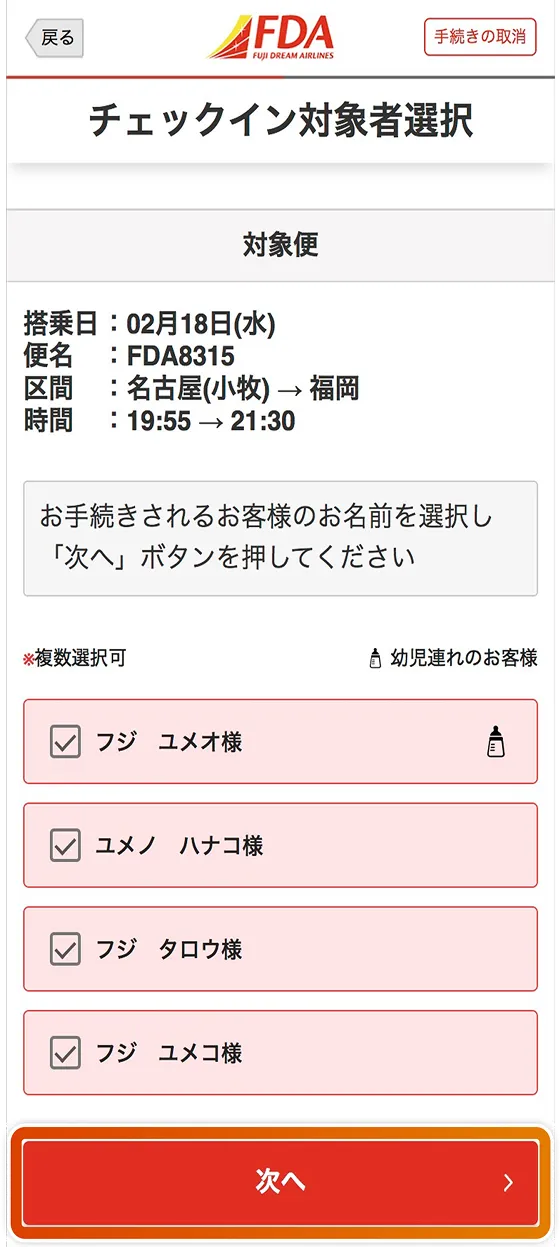
Check the boxes for the people you want to check in and tap "Next."
-
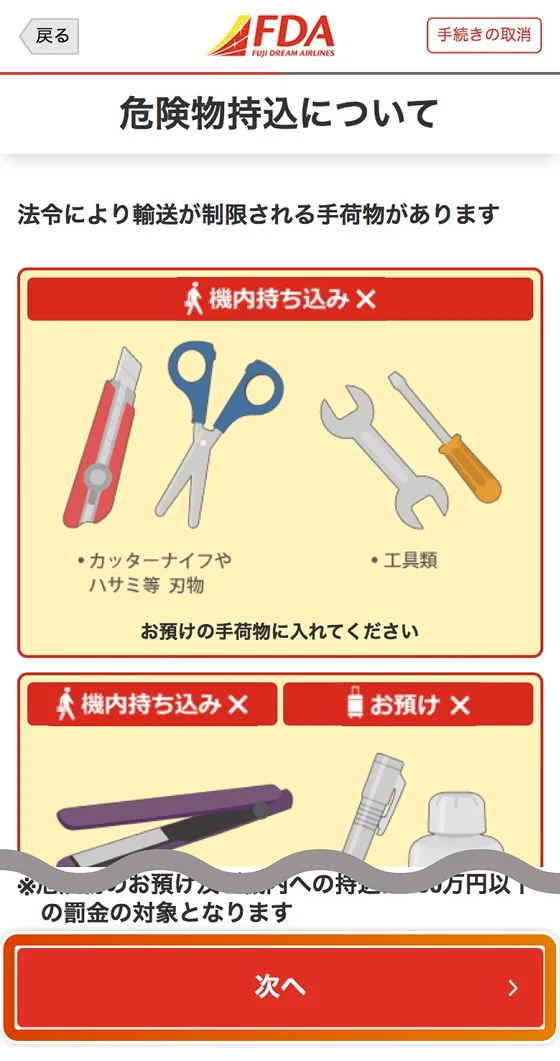
Check the details and tap "Next".
-
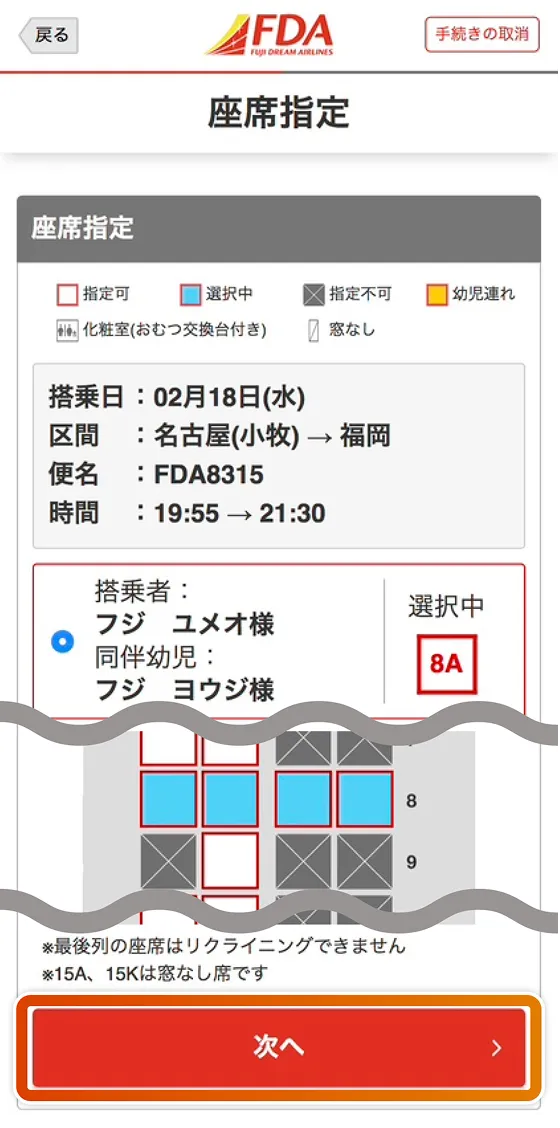
To specify or change your seat, check the appropriate person and select an available seat. If you want to check in at the selected seat, tap "Next."
-
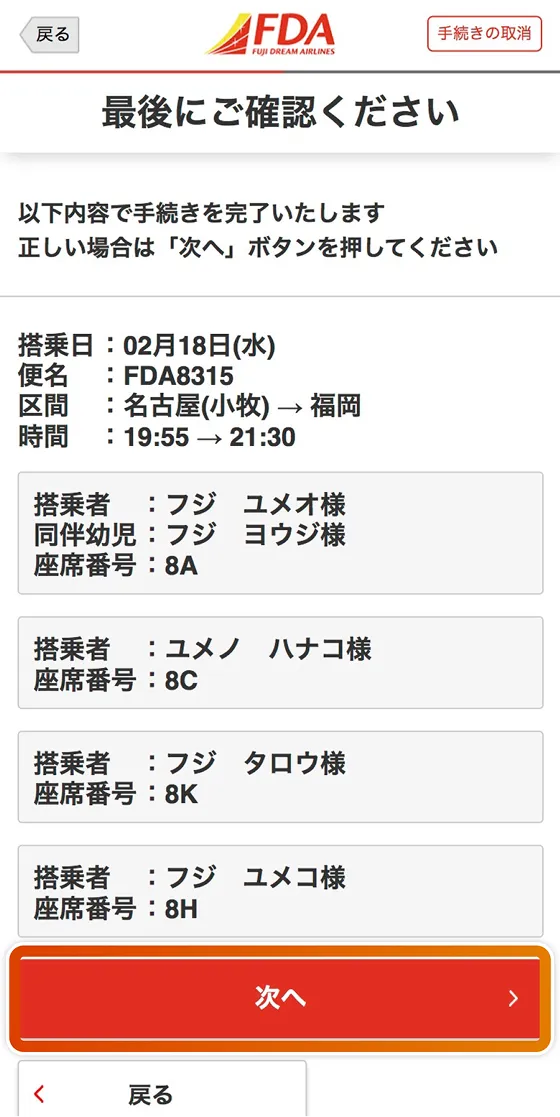
Double-check the flight number, sector, passenger, and seat number, and if there are no errors, tap "Next."
-
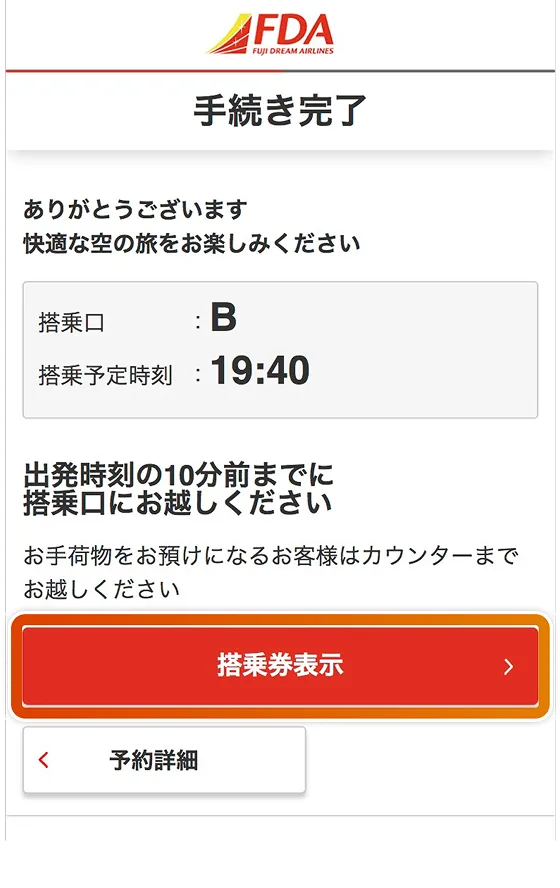
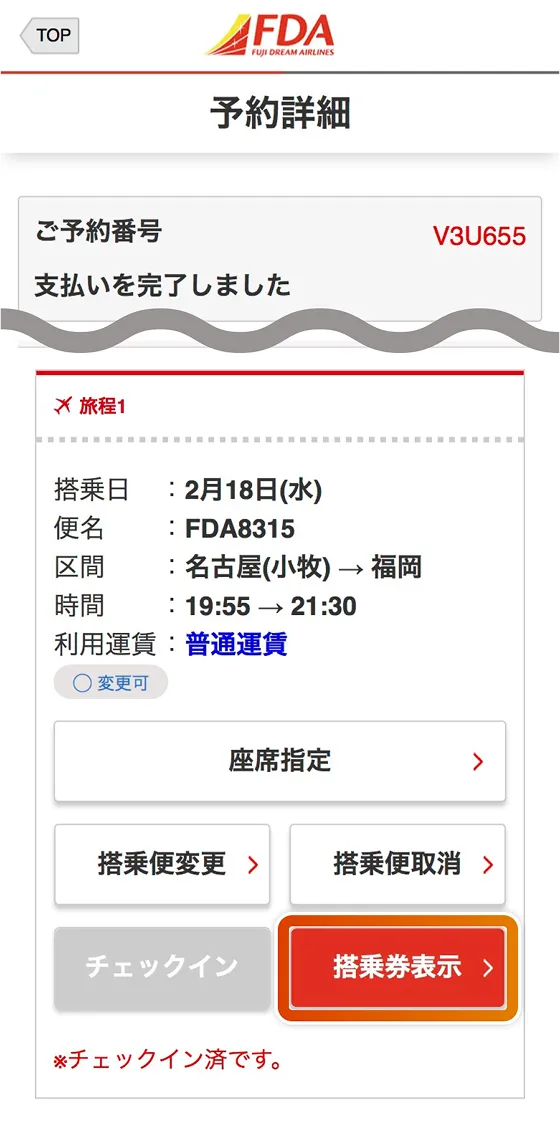
This completes check-in. Please arrive at your designated boarding gate 10 minutes before departure.
To display your boarding pass, tap "Display boarding pass." -
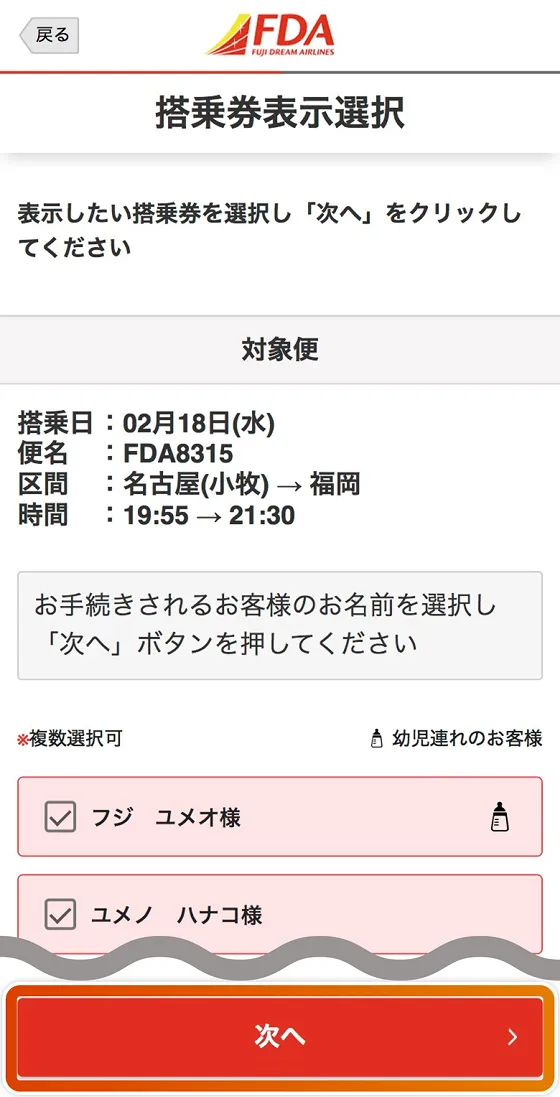
Check the boxes for the people whose boarding passes you want to display, then tap "Next."
-
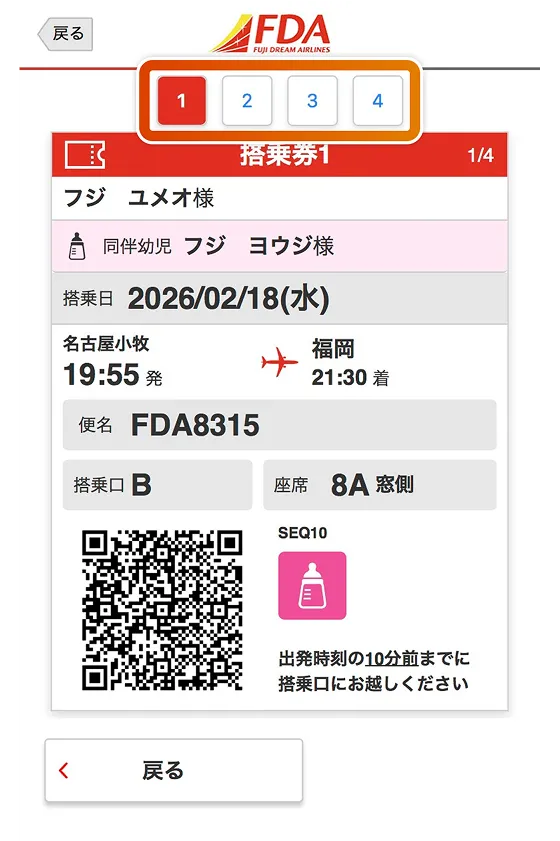
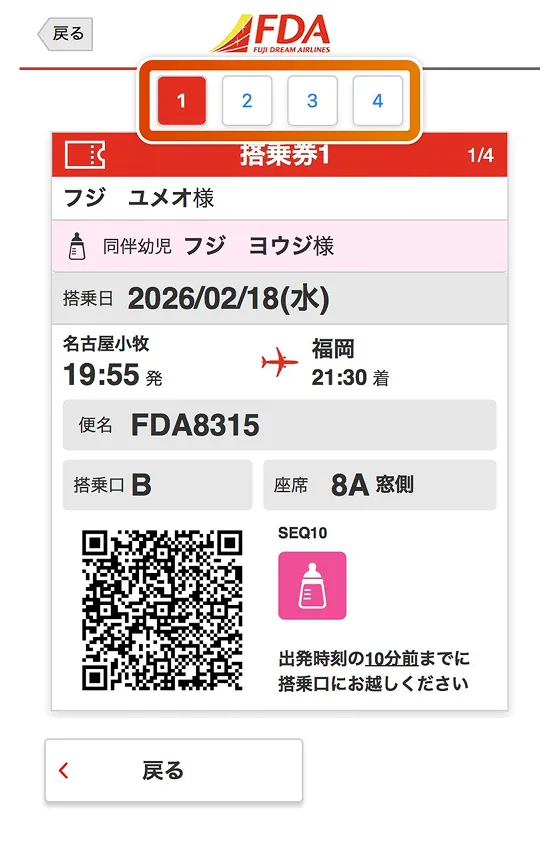
Your boarding pass will be displayed, so please present this screen to airport staff at the security checkpoint or boarding gate.
If you selected multiple people on the previous screen, you can also view the boarding passes of your companions by tapping the number at the top of the screen or swiping the screen sideways.
Display of boarding pass (after completing online check-in)
-
ホーム画面右上の「メニュー」またはボトムナビゲーション「予約管理」をタップしてください。
-
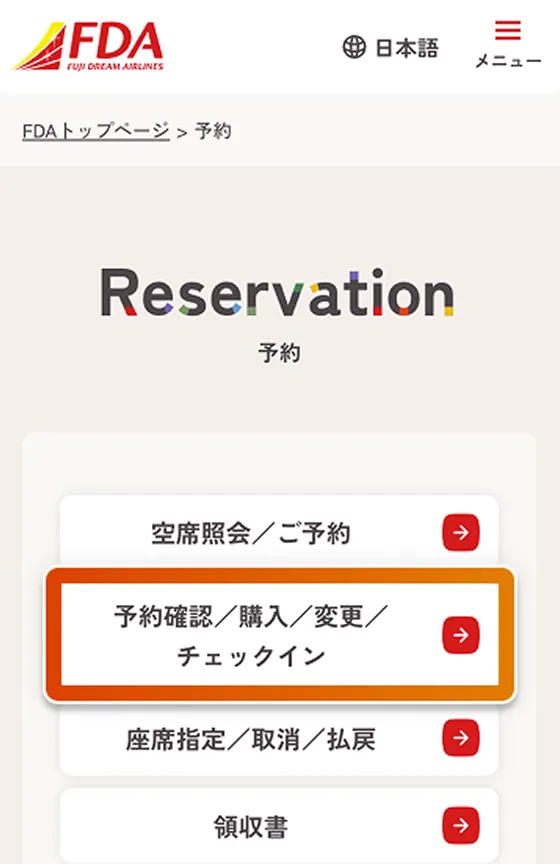
「予約管理」内の「予約/購入/変更/チェックイン」をタップしてください。
-
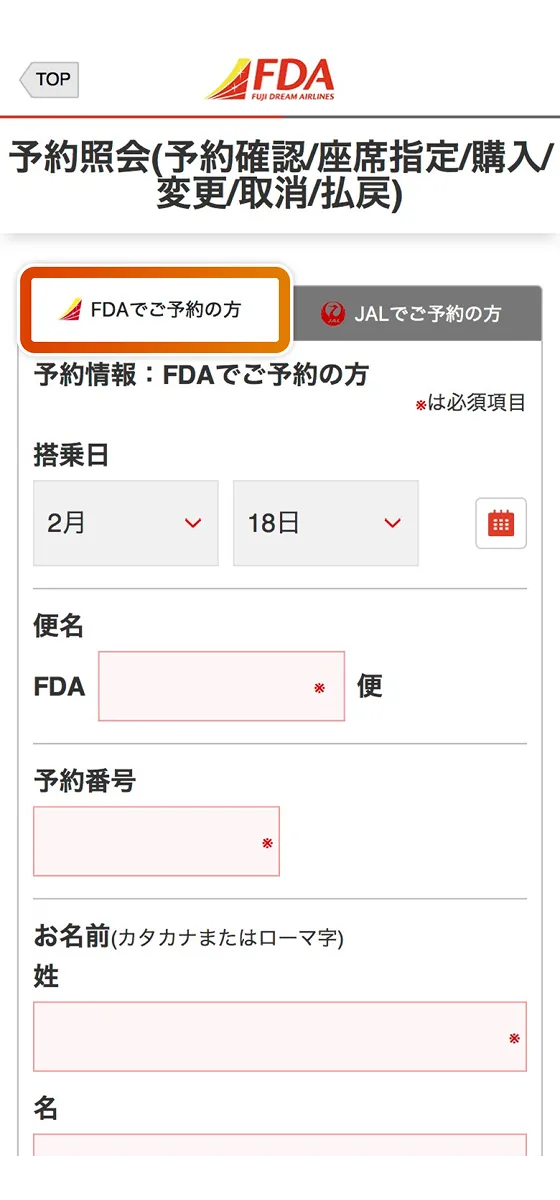
Please select the "FDA Appointments" tab.
-
Enter your "boarding date," "flight number," "reservation number," and "name," then tap Search.
-
Tap "Display Boarding Pass" for the itinerary for which you want to display the boarding pass (the button will appear after you have completed online check-in).
-
Your boarding pass will be displayed, so please present this screen to airport staff at the security checkpoint or boarding gate.
If you selected multiple people on the previous screen, you can also view the boarding passes of your companions by tapping the number at the top of the screen or swiping the screen sideways.